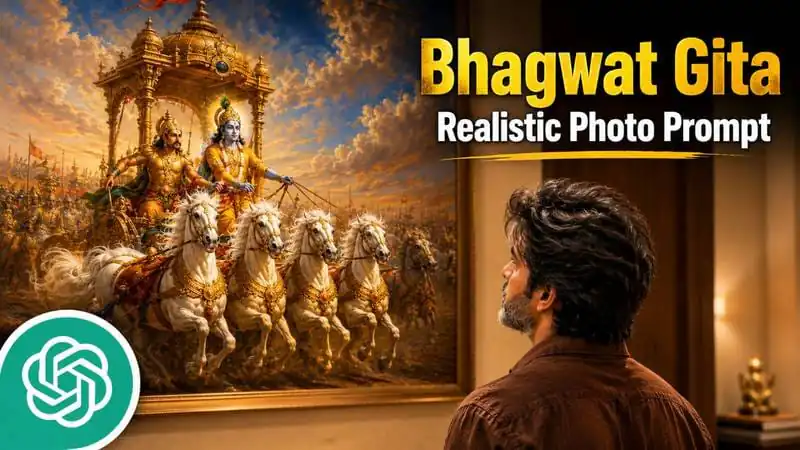
Aaj ka trend kya hai?
Bhai, aajkal social media pe ek cheez bahut viral ho rahi hai — Bhagwat Gita inspired ultra-realistic AI photos! Ye images dekhne mein itni real lagti hain ki log sochte hain koi actual photographer ne kheenchi hogi. But actually ye sab AI tools aur ek sahi prompt ki kamal hai.
Agar tu bhi aise photos banana chahta hai jo spiritual bhi lage aur cinematic bhi — toh ye article tere liye hi hai. Main tujhe sab kuch simple language mein samjhaunga.
Ye Photos Hoti Kaisi Hain?
In photos mein generally ye cheezein hoti hain:
- Ek insaan jo Mahabharata ya Bhagwat Gita ki painting ke saamne khada hai
- Background mein luxury Indian room
- Warm cinematic lighting
- Lord Krishna aur Arjun ka scene painting mein
- Overall vibe — wisdom, peace, leadership
Ye images Instagram pe bahut hit hoti hain kyunki inme spirituality + cinematic photography ka mix hota hai.
Photo Editing Prompts
Prompt 1 — Back Angle Candid Style
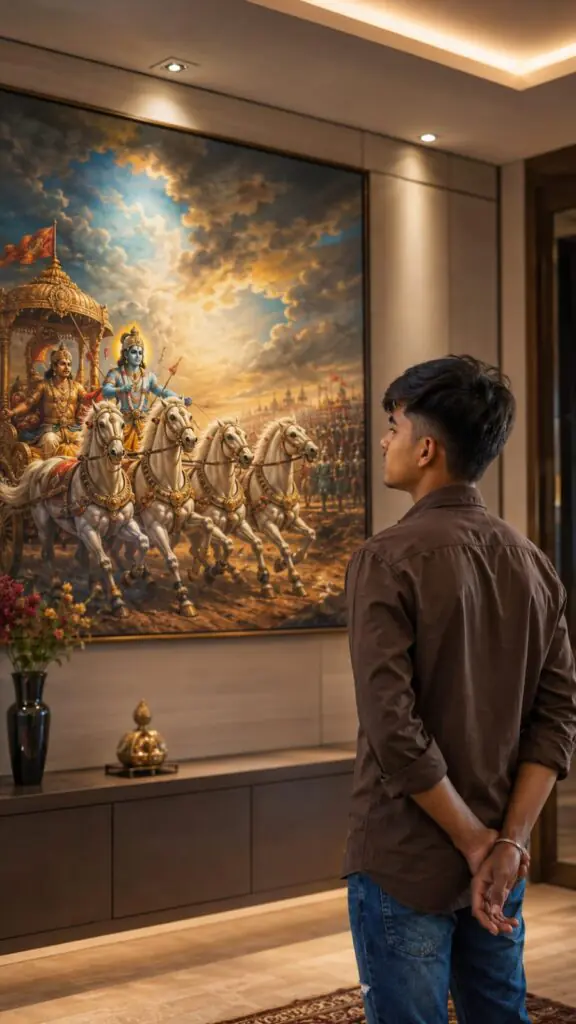
Use the uploaded reference image as the sole facial reference. Preserve the exact facial identity, facial structure, hairstyle, skin tone, jawline, eyes, nose, lips, and natural appearance of the person.

Create an ultra-photorealistic DSLR-style portrait inside a modern luxury Indian home. The camera is positioned slightly behind and to the left of the subject, capturing a natural candid moment rather than a posed photograph. Only a subtle portion of the side profile, jawline, and hairstyle is visible.

The person stands calmly in the lower-right foreground with both hands folded behind the back, gazing thoughtfully at a large framed Mahabharata painting. The head is slightly raised, conveying wisdom, leadership, self-control, and deep contemplation inspired by the Bhagavad Gita.

The subject wears a premium dark earthy-brown cotton shirt with rolled sleeves, realistic fabric texture, natural wrinkles, and an elegant minimalist Indian aesthetic.

The Mahabharata artwork is fully visible and highly detailed, depicting Lord Krishna guiding Arjuna's chariot across the battlefield of Kurukshetra. White horses charge forward beneath dramatic clouds, golden-orange sunlight, rich blue skies, and a spiritually powerful atmosphere. The painting appears like a premium museum-quality masterpiece.

The room features warm beige walls, sophisticated modern interior design, subtle ceiling lighting above the artwork, and realistic indoor shadows. Soft cinematic highlights illuminate the subject's hair and shoulders.

Shot on a professional full-frame DSLR, 85mm portrait lens, shallow depth of field, realistic skin texture, natural color grading, authentic lighting, premium Instagram aesthetic, cinematic realism, ultra-detailed 8K photography.

No text, no watermark, no illustration, no CGI, no AI-art appearance, no anime style.

Vertical 9:16 composition.
Prompt 2 — Cinematic Leadership Style
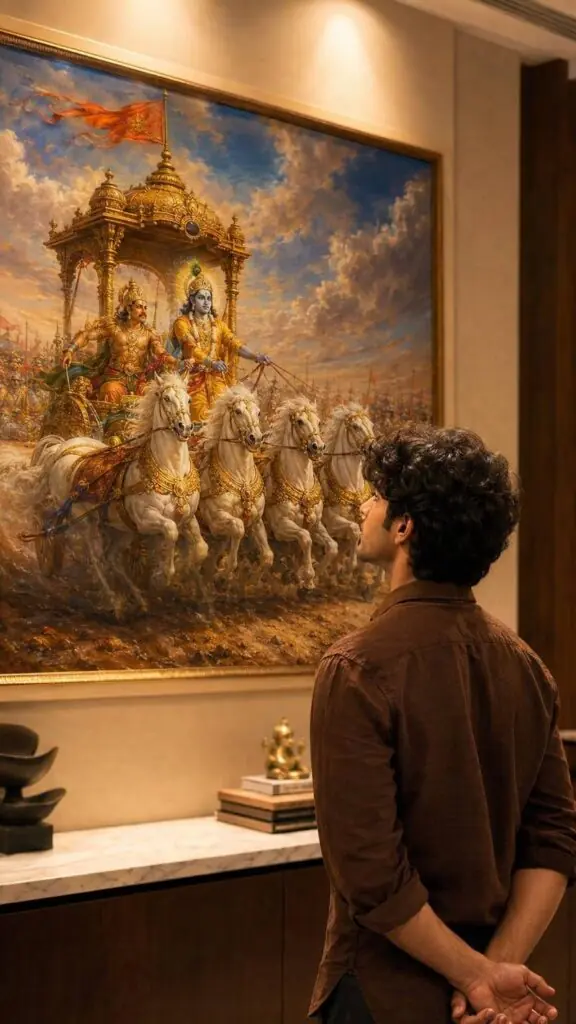
Transform the uploaded reference person into an ultra-realistic cinematic Bhagavad Gita inspired scene while preserving ONLY the exact facial identity, hairstyle, beard details, skin tone, and natural human realism from the uploaded reference image.

IMPORTANT CAMERA ANGLE: the image should feel naturally clicked slightly from the left-back side perspective, not perfectly centered. The camera must capture both the person and the Mahabharata painting clearly in the frame exactly like a casual cinematic candid photo.

The person should stand calmly facing the painting with both hands folded behind the back, giving a mature, leadership, wise, emotionally powerful, and self-controlled aura. The head should be slightly raised upward as if deeply thinking and absorbing the wisdom of Bhagavad Gita.

Only a subtle portion of the side jawline and hairstyle should be visible naturally from the left-back angle - not a full side face.

Outfit should be a realistic premium dark earthy-brown cotton shirt with soft rolled sleeves, natural wrinkles, realistic texture, and masculine minimal Indian aesthetic exactly like a stylish everyday luxury look.

Environment should look like a realistic modern Indian luxury room or elegant home interior with soft cream/beige walls and warm cinematic indoor lighting.

The Mahabharata painting should be colorful, rich, vibrant, and highly detailed - Lord Krishna driving the divine chariot with Arjuna, white horses in motion, dramatic clouds, spiritual battlefield atmosphere, golden-orange tones, rich blue sky, premium mythological realism.

The painting should remain fully visible while the person occupies the lower-right or center-right foreground naturally, creating balanced cinematic composition.

Lighting style: realistic warm room lighting with subtle top glow above the artwork, natural indoor shadows, soft highlights on hair and shoulders, realistic depth and cinematic warmth.

The overall image must look like real DSLR or iPhone portrait photograph captured naturally inside a luxury modern home - absolutely NO anime look, NO AI-art appearance, NO illustration style.

Ultra-photorealistic cinematic photography, authentic skin texture, realistic brown shirt fabric, natural hair details, cinematic color grading, subtle depth of field, premium Instagram aesthetic, emotionally powerful masculine leadership vibe.

No text, no captions, no watermark, no UI elements.

Vertical 9:16 composition.
Prompt Use Kaise Karein? (Step by Step)
Step 1 — Apni ek clear selfie ya portrait photo ready rakho
Step 2 — Koi bhi AI image tool open karo jaise Bing Image Creator, Leonardo AI, ya Adobe Firefly
Step 3 — Apni photo upload karo aur upar diya gaya prompt paste karo
Step 4 — Generate karo aur result dekho
Step 5 — Agar result mein kuch change chahiye toh prompt mein thoda edit karke dobara try karo
Best Result Ke Liye Tips
- Clear face photo use karo — blurry photo se AI confuse ho jaata hai
- Prompt copy-paste karo exactly — ek bhi word change mat karo pehli baar
- Multiple times try karo — har baar alag result aata hai, best wala choose karo
- 9:16 ratio rakho — Instagram stories ke liye perfect hota hai
- Lighting wali photo use karo — dark ya shadow wali photo se achha result nahi aata
FAQs — Aksar Puche Jaane Wale Sawaal
Q1. Ye prompt kaunse AI tool pe kaam karta hai?
Ye prompt mostly Leonardo AI, Bing Image Creator, Ideogram, aur Adobe Firefly pe achha kaam karta hai. ChatGPT ke DALL-E pe bhi try kar sakte ho.
Q2. Kya mujhe koi paid tool chahiye hoga?
Nahi bhai, kai free tools available hain jaise Bing Image Creator bilkul free hai. Leonardo AI bhi limited free credits deta hai daily.
Q3. Meri photo upload karna safe hai kya?
Reputed tools jaise Adobe ya Microsoft ke platforms pe generally safe hota hai. But kisi bhi unknown website pe apni photo upload karne se pehle unki privacy policy zaroor padh lo.
Q4. Result mein face match nahi ho raha, kya karein?
Prompt ke starting mein likha hai “Use the uploaded reference image as the sole facial reference” — ye line bahut important hai. Agar face match nahi ho raha toh better quality aur front-facing photo use karo.
Q5. Kya ye sirf boys ke liye hai?
Bilkul nahi! Prompt mein outfit aur style change karke girls bhi iska use kar sakti hain. Shirt ki jagah dupatta ya ethnic outfit describe kar sakte ho.
Q6. Image 9:16 mein nahi aa rahi, kya karein?
Prompt ke end mein “Vertical 9:16 composition” clearly likha hai. Agar phir bhi nahi aa raha toh tool ke settings mein manually aspect ratio 9:16 set karo.
Q7. Kya in photos ko Instagram pe post kar sakte hain?
Haan bilkul! Ye photos Instagram Reels cover, Stories, aur Feed posts ke liye perfect hain. Bas AI-generated label lagana ethical hota hai.
Q8. Bhagwat Gita painting ki jagah koi aur painting use kar sakte hain?
Haan, prompt mein painting description change kar sakte ho. Ram Darbar, Shiv-Parvati, ya koi bhi mythological scene describe kar sakte ho apne hisaab se.
Conclusion
Bhai, agar tu ek aisi photo banana chahta hai jo dekhne mein real lage, spiritual feel de, aur Instagram pe viral ho — toh ye Bhagwat Gita photo editing prompt tera best dost hai!
Bas apni ek achhi photo lo, prompt copy karo, AI tool mein paste karo aur dekho kaisi stunning image banti hai. Ek baar try karke dekh — result dekh ke khud hairan ho jaayega.
Try karo, share karo, aur dosto ko bhi batao!